What Is a Video Biodata? Meaning, What to Include and How to Make One
By ModernShaadi · 16 October 2026 · 5 min read
On this page
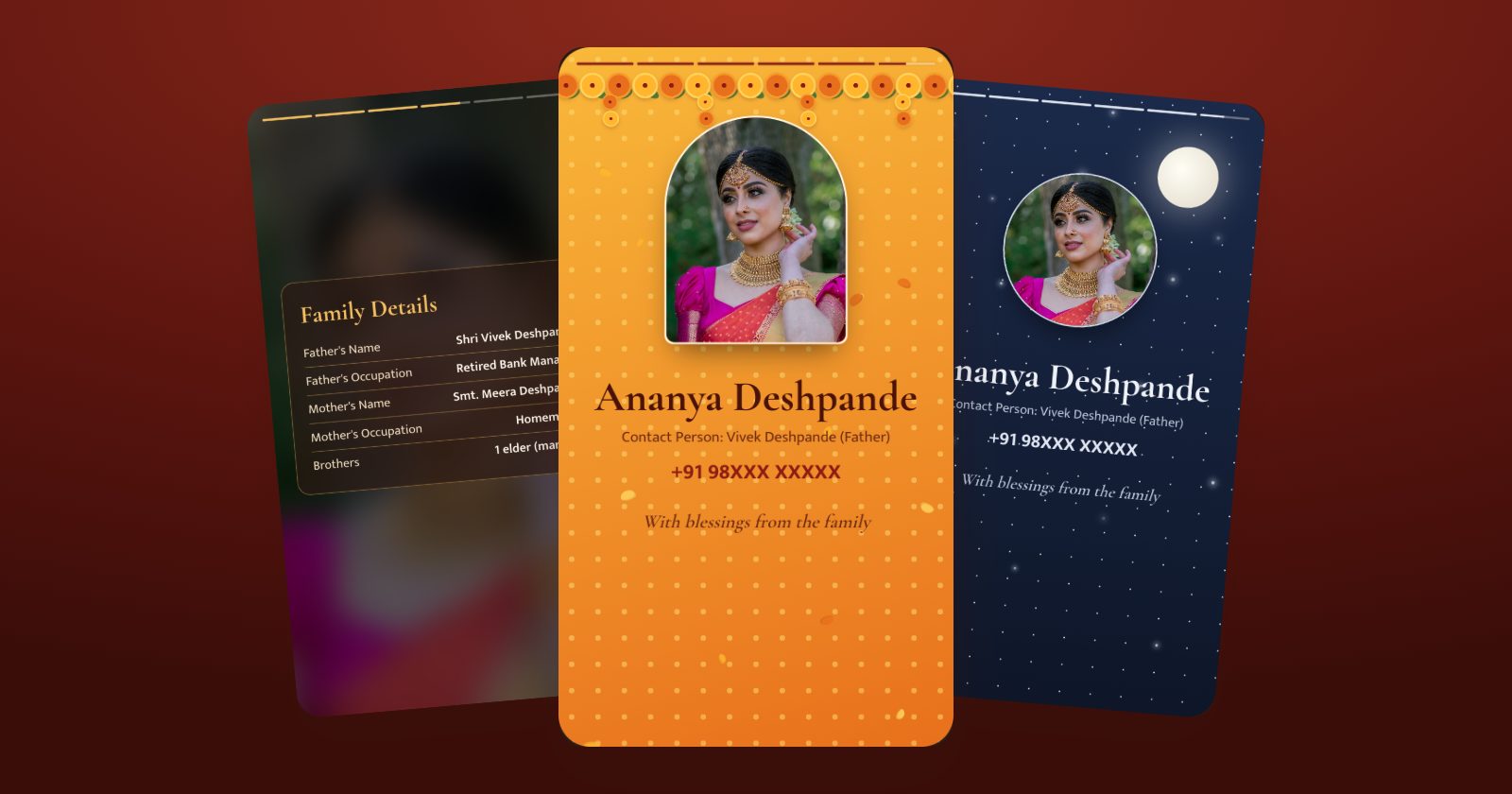
A video biodata is a short video version of a marriage biodata: about 30 seconds of photos, key details, family and a blessing, set to gentle music and sized for a phone screen. Families send it on WhatsApp alongside the PDF, or instead of it, because it opens instantly, shows the person in more than one photo, and is easy to forward.
In short
- What: a vertical video, about 30 seconds, made from the same details as a biodata.
- Shows: the name and photos, age and height, education and work, family, horoscope or partner preferences, and contact details.
- Why: it stands out in WhatsApp chats and Status and gives a warmer first impression than a page of text.
- It doesn't replace the PDF. Families still print and file the one-page biodata; the video is the introduction they forward.
Video biodata vs PDF biodata
| PDF biodata | Video biodata | |
|---|---|---|
| Format | One A4 page | A vertical video of about 30 seconds |
| Best for | Printing, filing, reading every detail | A first introduction on WhatsApp, forwarding, Status |
| Photos | Usually one | One to five, each shown on its own |
| Details | Everything, at a glance | The key details, one scene at a time |
| Feel | Formal and complete | Warm and personal, with music |
Most families now send both: the video to catch attention, and the PDF for the full details.
What a video biodata shows, scene by scene
A good video biodata follows the same order families expect on paper, one idea per scene:
- Blessing: the line at the top of the biodata, such as "Shree Ganeshay Namah", Bismillah or "Jai Jinendra".
- Name and photo: the person's name with their best photo.
- About: age, height, education, work and city.
- Family: parents, their occupations, brothers and sisters, native place.
- Moments: more photos, or a line from the About me section.
- Horoscope or preferences: rashi, nakshatra and gotra for families who use them, otherwise partner preferences.
- Close: the name again, the contact person and number, and a blessing from the family.
How long should a video biodata be?
About 30 seconds works best. It's long enough to show four or five scenes at a calm reading pace, and short enough that people watch to the end. Much longer and the text has to rush past or people stop watching; much shorter and the details flash by too quickly to read.
Choosing photos
- One to five recent photos. One good photo is enough; a few more make the video feel personal.
- Face clearly visible, in daylight, without heavy filters.
- Mix them: a close-up portrait, a full-length traditional photo and a natural, candid one.
- Avoid group photos, where families can't tell who the biodata is for.
Choosing music
Soft instrumental music suits a biodata best. Shehnai feels festive, sitar and oud feel calm, and piano feels romantic. Use music that is licensed for this use: film songs can get a video muted or removed if it's ever posted on Instagram or YouTube.
How to make a video biodata
There are four common ways:
- From your biodata, in a biodata maker. On ModernShaadi, the video is made from the same details as your PDF biodata, so you type everything once.
- Add one to five photos, choose one of six video designs and music (shehnai, sitar, piano or oud), and watch the preview free.
- The clean video costs ₹399, or ₹549 together with the PDF and image, and it's ready about three minutes after paying.
- Details can still be changed for 24 hours.
- A video-invitation app with biodata templates: you fill in a separate form for the video.
- Edit it yourself in a video editor such as CapCut or Canva: the most control, but you build every scene and time every line by hand.
- A studio: custom-made by a designer, usually costing a few thousand rupees and taking several days.
How to share a video biodata on WhatsApp
- Send it in the chat like any video. It plays right away, without opening a file.
- Post it to your Status if you're comfortable with all your contacts seeing it.
- Send the PDF along with it for families who want to print the details.
- Mind the contact details. The video usually ends with a phone number, so choose whose number to show, and leave out the home address.
Frequently asked questions
What is a video biodata for marriage?
It's a short video version of a marriage biodata, about 30 seconds of photos, key details, family and a blessing with gentle music, made to be shared on WhatsApp alongside the PDF.
How long should a video biodata be?
About 30 seconds. That's enough for five or six scenes at a pace people can read, and short enough that they watch to the end.
Does a video biodata replace the PDF biodata?
No. Most families send both: the video as a warm first introduction, and the one-page PDF for printing and reading every detail.
Can I make a video biodata from my existing biodata?
Yes. On ModernShaadi you can upload a photo, PDF or Word file of your old biodata; the details are filled in for you, and the same details make both the new biodata and the video.
How much does a video biodata cost on ModernShaadi?
You can make it and watch the preview free. The clean video costs ₹399, or ₹549 together with the PDF and WhatsApp image, paid once.